Laptop RAM
Why order laptop RAM from IPC-Computer?
- Our quality assurance secures safe use
- Now New! Our memory from the new Asus brand JoGeek
- Our RAM-Module-Finder helps you finding the right RAM memory easily and quickly
- Free technical support for RAM related questions

The most purchased memory
Substitute for Hynix HMCG88AGBSA memory 32GB DDR5-RAM

plus shipping charges
Substitute for Acer KN.0320G.029 memory 32GB DDR5-RAM
plus shipping charges
Crucial CT16G4SFD832A memory 16GB DDR4-RAM
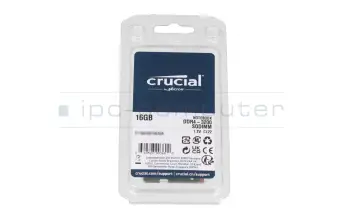
plus shipping charges
Crucial CT16G4SFRA32A memory 16GB DDR4-RAM
plus shipping charges
Crucial CT8G4SFRA32A memory 8GB DDR4-RAM
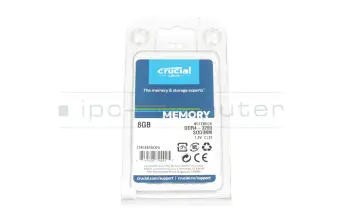
plus shipping charges
Crucial CT8G4SFS832A memory 8GB DDR4-RAM
plus shipping charges
Substitute for Micron MTA4ATF1G64HZ-3G2F1 memory 8GB DDR4-RAM
plus shipping charges
Substitute for Hynix HMA81GS6DJR8N-XN memory 8GB DDR4-RAM

plus shipping charges
Substitute for Acer KN.8GB0G.069 memory 8GB DDR4-RAM
plus shipping charges
Crucial CT16G56C46S5 memory 16GB DDR5-RAM

plus shipping charges
Substitute for Asus 03A12-00022600 memory 16GB DDR5-RAM
plus shipping charges
Alternative for Hynix HMCG78AGBSA memory 16GB DDR5-RAM
plus shipping charges
Alternative for Samsung M425R2GA3PB0-CWM memory 16GB DDR5-RAM
plus shipping charges
Alternative for Micron MTC8C1084S1SC56BD1 memory 16GB DDR5-RAM
plus shipping charges
Substitute for Hynix HMAA2GS6CJR8N-XN memory 16GB DDR4-RAM

plus shipping charges
Substitute for Acer KN.16G0G.036 memory 16GB DDR4-RAM
plus shipping charges
Kingston KVR16LS11/8 memory 8GB DDR3L-RAM
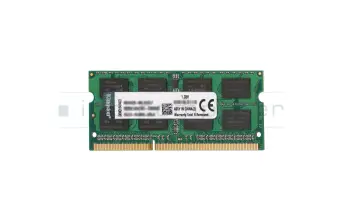
plus shipping charges
Kingston KCP3L16SD8/8 memory 8GB DDR3L-RAM
plus shipping charges
Kingston KF556S40IB-16 memory 16GB DDR5-RAM
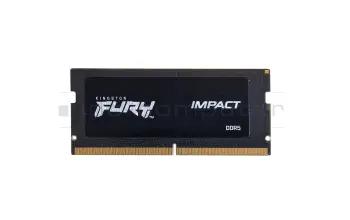
plus shipping charges
Kingston 9905790-052.A00G memory 16GB DDR5-RAM
plus shipping charges
Crucial CT32G4SFD832A memory 32GB DDR4-RAM
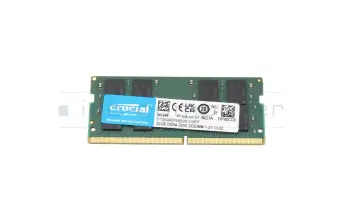
plus shipping charges
Substitute for Hynix HMCG78MEBSA memory 16GB DDR5-RAM

plus shipping charges
Substitute for Acer KN.16G0G.038 memory 16GB DDR5-RAM
plus shipping charges
Crucial CT32G56C46S5 memory 32GB DDR5-RAM

plus shipping charges
Alternative for Asus 03A12-00030700 memory 32GB DDR5-RAM
plus shipping charges
Find the right battery by model or features
Lenovo 5M30Z71775 MEMORY SODIMM,8GB,DDR5,4800,Samsung

plus shipping charges
Lenovo 5M30Z71776 MEMORY SODIMM,16GB,DDR5,4800,Samsung

plus shipping charges
Lenovo 5M30Z71777 MEMORY SODIMM,32GB,DDR5,4800,Samsung

plus shipping charges
Lenovo 5M30Z71780 MEMORY SODIMM,4GB,DDR4,3200,Hynix

plus shipping charges
Lenovo 5M30Z71786 MEMORY UDIMM,8GB,DDR5,5600,Samsung

plus shipping charges
Lenovo 5M30Z71787 MEMORY UDIMM,16GB,DDR5,5600,Samsung

plus shipping charges
Lenovo 5M30Z71788 MEMORY UDIMM,32GB,DDR5,5600,Samsung

plus shipping charges
Lenovo 5M30Z71798 MEMORY UDIMM,8GB,DDR5,5600,Micron
plus shipping charges
Lenovo 5M30Z71799 MEMORY UDIMM,16GB,DDR5,5600,Micron
plus shipping charges
Lenovo 5M30Z71800 MEMORY UDIMM,32GB,DDR5,5600,Micron
plus shipping charges
The newest RAM in our assortment
Substitute for Hynix HMCG88AGBSA memory 32GB DDR5-RAM
plus shipping charges
Substitute for Acer KN.0320G.029 memory 32GB DDR5-RAM
plus shipping charges
Crucial CT16G4SFD832A memory 16GB DDR4-RAM
plus shipping charges
Crucial CT16G4SFRA32A memory 16GB DDR4-RAM
plus shipping charges
Lenovo 5M30Z71796 memory 16GB DDR5-RAM

plus shipping charges
Lenovo 5M31L87360 memory 16GB DDR5-RAM
plus shipping charges
Substitute for Hynix HMCG78AGBSA092N BA memory 16GB DDR5-RAM
plus shipping charges
Substitute for Hynix HMCG78AGBSA095N BA memory 16GB DDR5-RAM
plus shipping charges
Alternative for Samsung M425R2GA3PB0-CWM0L memory 16GB DDR5-RAM
plus shipping charges
Alternative for Ramaxel RMSB3410HA88IBF-5600NA memory 16GB DDR5-RAM
plus shipping charges
Crucial CT8G4SFRA32A memory 8GB DDR4-RAM
plus shipping charges
Crucial CT8G4SFS832A memory 8GB DDR4-RAM
plus shipping charges
Substitute for Micron MTA4ATF1G64HZ-3G2F1 memory 8GB DDR4-RAM
plus shipping charges
Substitute for Hynix HMA81GS6DJR8N-XN memory 8GB DDR4-RAM
plus shipping charges
Substitute for Acer KN.8GB0G.069 memory 8GB DDR4-RAM
plus shipping charges
Crucial CT16G56C46S5 memory 16GB DDR5-RAM
plus shipping charges
Substitute for Asus 03A12-00022600 memory 16GB DDR5-RAM
plus shipping charges
Alternative for Hynix HMCG78AGBSA memory 16GB DDR5-RAM
plus shipping charges
Alternative for Samsung M425R2GA3PB0-CWM memory 16GB DDR5-RAM
plus shipping charges
Alternative for Micron MTC8C1084S1SC56BD1 memory 16GB DDR5-RAM
plus shipping charges
Substitute for Hynix HMAA2GS6CJR8N-XN memory 16GB DDR4-RAM
plus shipping charges
Substitute for Acer KN.16G0G.036 memory 16GB DDR4-RAM
plus shipping charges
Kingston KVR16LS11/8 memory 8GB DDR3L-RAM
plus shipping charges
Kingston KCP3L16SD8/8 memory 8GB DDR3L-RAM
plus shipping charges
Crucial CT32G4SFD832A memory 32GB DDR4-RAM
plus shipping charges
What do I have to know when upgrading my RAM?
The first thing to check is wheter an expansion of the RAM is possible at all. In order to check this you have to look into the inside of the laptop. Some laptops have a service door, but it's possible that the complete bottom plate of the unit has to be taken off.
Now you should be able to see whether the existing RAM modules are soldered or whether a slot is available. Only if there's a slot, an extension can be installed. On the flipside, if there's no slot, there is the possibility to replace an existing laptop RAM module with a higher capacity one.
Lastly, If an upgrade of the RAM is possible, it's furthermore necessary to check which capacity the new so-DIMM may have maximum. The total memory minus the memory already installed equals the maximum possible memory expansion. For example, suppose your laptop can address 20GB. On the other hand, there are 12GB installed. As a conclusion, the available or upgradeable storage capacity in this case is 8GB.
Interesting articles on the subject of notebook RAM memory
This is how you can easily find the suitable RAM
Laptops only require the so-DIMM RAM memory type. To find the right the memory, you have the possibility to search through your laptop model or through our RAM module finder.
First of all, to find a suitable storage for your model, please look for the device details on the label of your laptop. Luckily, we show you where you can find these. Finally, you can see the appropriate items under the RAM category.
Alternatively, the RAM Module Finder can be used to navigate to the appropriate memory. The filters are used to quickly get the laptop RAM you are looking for. It can be filtered by capacity, memory type, timing (speed) and many other aspects. If you do not know the technical data of your required memory, our FAQ-post can help. Additionally, we will show you which tools you can use to determine if you have a DDR3, DDR3L or DDR4 memory type and how the other technical data can be read out.
Nowadays, all modern, quality laptops use a two channel system called "dual-channel operation". Therefore, it would be advantageous if the memory modules come from the same manufacturer and have the same capacity and clocking. Otherwise, there may be problems with dual-channel operation.
Laptop RAM FAQ
Here you can find all questions and answers surrounding laptop RAM
- Can I expand my working memory myself?
Yes, it's not rocket science! You just need the right tools and a little technical know-how and possibly a quick guide on how to open the device.
This is how you proceed
In most cases, the base plate of the laptop must be unscrewed to access the RAM. Our helpful video series "My laptop from the inside" can help you with this. We show you step by step how to open various models properly.
- Click here for the instructions: My laptop from the inside (YouTube)
Important note on soldered memory
Please note that on many newer devices, all or at least part of the RAM is soldered to the mainboard. In this case, replacement or expansion is unfortunately not technically possible. You can use our Shop Finder to check in advance whether your model has free slots.
Our workshop service
You are welcome to leave the installation to our specialists. Simply send in your device. We guarantee clean installation, including a final functional test.
- Order a repair: IPC Computer repair form
- Directly to the store: Find the right RAM for your model
- Can I install memory modules other than the memory already installed in my laptop?
Yes, this is possible in principle. However, you must stay within clear technical limits. To ensure the upgrade is successful, you should pay attention to the following points:
- RAM type:
The new RAM must match the supported type of your laptop (e.g. DDR3, DDR4 or DDR5 as SO-DIMM). A different type will not work technically, even if it looks mechanically similar. - Clock and timing:
Different clock rates can often be mixed; in practice, the entire memory then runs at the clock rate of the slowest module. However, certain combinations can lead to instabilities. - Mixed operation:
Different manufacturers, sizes and clock rates can often be operated together. However, it is technically cleaner and usually more stable if you use matching modules (ideally a kit). - Maximum capacity:
You must not exceed the maximum RAM size per slot and in total specified by the laptop manufacturer.
Recommendation:
If you are upgrading the RAM, ideally choose modules with the same capacity and the same clock rate. The safest way to do this is to use our model search to check which modules are expressly approved for your laptop. This will minimize the risk of start-up problems or crashes.- Model check: Find the right RAM in the IPC Shop

- RAM type:
- How do I open my laptop properly and what do I need to look out for when replacing RAM?
Opening a laptop requires care, the right tools and some experience.
To prevent damage to the hardware, you should follow these basic rules:
- Safety: Disconnect the device completely from the power supply and, if possible, remove the battery or switch it off via the BIOS.
- Tools: Only use suitable precision mechanics tools and make sure you have ESD (anti-static) protection to avoid electronic discharges.
- Procedure: Systematically loosen the housing screws and carefully lift off the base cover using a flat plastic tool (spudger).
- Caution: Never use force. Many devices have hidden screws under rubber feet or stickers.
In our series "My laptop from the inside" we clearly show how different laptop models are constructed and the steps required to open them safely. The videos help you to better understand the construction of different brands (e.g. HP, Lenovo, Dell, Acer) and show you where the battery, mainboard or RAM are located.
- Click here for the video series: My laptop from the inside (YouTube)
If you are unsure about opening your laptop or have permanently installed components, our technicians in the workshop will safely remove and repair them.
- How much memory will fit in my laptop?
How much RAM fits in your laptop always depends on the specific model. But you can find out quite easily.
1. via manufacturer information / manual
- Look in:
- the user manual of your laptop
- or on the manufacturer's support page (enter model → "Specifications" or "Memory/RAM").
- It usually says there:
- maximum total capacity (e.g. 16 GB, 32 GB, 64 GB),
- Number of RAM slots (e.g. 1 or 2),
- supported RAM type (e.g. DDR4-3200 SO-DIMM, DDR5-4800 SO-DIMM).
2. via tools under Windows
- You can use tools such as CPU-Z or HWiNFO to find out
- how many slots are available,
- how many of them are occupied,
- which modules are currently installed (size, type, clock rate).
- The absolute maximum size is not always listed there, but it helps with the estimation (e.g. 2 slots, 8 GB each installed → today 16 GB, often possible: 2×16 GB = 32 GB).
3. via a model search in the IPC store
Practical way for you as an IPC customer:
- Search in the store for your laptop manufacturer + model.
- In the matching RAM articles you will usually find notes such as:
- "max. 32 GB supported"
- "2 slots, 1 of which is free"
- So you can see directly:
- which modules are compatible,
- up to which size your device can be upgraded.
Please note: It is no longer possible to replace the memory in over 10,000 laptop models, as the RAM is soldered to the mainboard.
See also: - Look in:
- My Windows crashes or the screen freezes: Is my RAM defective?
This may or may not be due to the RAM. Crashes and freezes are typical, but not clear RAM symptoms.
Typical signs of a possible RAM defect:
- Blue screens with changing or "random" error messages
- Freezing under load (games, video editing, many tabs/programs)
- Start-up problems: Crashes occur shortly after starting Windows
- Restarts: The laptop restarts for no apparent reason or warning
Other possible causes:
- Faulty drivers or Windows updates
- Overheated CPU/GPU
- Defective SSD/HDD
- Unstable power supply unit or power supply
What you can test yourself:
- Run Windows memory diagnostics
Via "Windows memory diagnostics" → Restart → Run test. - Memtest (e.g. MemTest86)
Start from USB and have the memory tested in detail. - Test modules individually
If several RAM bars are installed: insert only one at a time and check whether the error occurs with a specific module.
If the tests report errors or the system always crashes with a particular RAM module, the RAM is most likely defective.
If you are unsure or the device is important for your work, we recommend a professional diagnosis in our workshop. There, our technicians can differentiate precisely between RAM problems, mainboard errors or software conflicts.
- Find a replacement:Original RAM in the IPC Shop
- Order a diagnosis:Notebook Doctor Workshop Service
- RAM upgrade without success: What to do if the memory is not recognized?
If your laptop does not start after installation or the new memory is not displayed, you should proceed as follows:
- Check compatibility:
Type (DDR3, DDR4, DDR5), clock frequency, design (SO-DIMM) and voltage must match the laptop exactly. Tip: Use the manufacturer model search or our IPC RAM finder to be sure. - Check installation: Switch off
laptop, disconnect battery, snap in module with light pressure. It often does not sit correctly in the slot. - Test slots individually:
Test RAM modules individually in each slot; exclude defective slot or module. - Update BIOS/UEFI:
An outdated BIOS often does not recognize new RAM generations. Install the latest update directly from the laptop manufacturer's website. - Do not mix old and new RAM at random:
Different clock rates and timings often cause start-up problems.
Need support? If you have checked all the steps and the error persists, please contact the IPC Computer service team by email or chat. Our technicians will help you find the solution to the problem and process it according to the IPC solution promise in your interest.
- Check compatibility:
- Should I choose the same MHz clock rate when upgrading if the existing RAM is to remain in the laptop?
Ideally: Yes.
If you want to continue using existing RAM and only want to add to it, you should consider the following points:
- The same MHz/clocking is clearly preferable.
The modules then run cleanly at the same speed, which benefits stability and performance. - Different clock rates are usually possible, but suboptimal.
In practice, the system then clocks all modules down to the lowest common speed.
Risks:- Slightly higher risk of instability (blue screens, freezes),
- in the worst case, the new RAM is not recognized correctly.
- If in doubt: align with the existing RAM.
If your previous RAM has e.g. 2666 MHz, it is best to buy 2666 MHz again - or a faster module that is officially downward compatible and can run reliably at 2666 MHz.
Finding the right memory
To avoid incompatibilities, you can use our IPC RAM finder directly. After selecting your laptop model, you will be shown the memory that is guaranteed to fit.
- The same MHz/clocking is clearly preferable.
- What is the clock frequency of my currently installed RAM?
You can easily find out the clock frequency of your RAM yourself. As these values vary from model to model, you have to read them out directly on the device.
How to find out the RAM clock rate under Windows:
- Via the Task Manager (quick, but rough)
- Right-click on the taskbar → Task Manager
- "Performance" tab → "Memory"
- At the top right you will see: "Speed" (e.g. 2666 MHz, 2933 MHz, 3200 MHz, 4800 MHz).
- Using a tool such as CPU-Z (more detailed)
- Download and start the CPU-Z tool.
- Tab "Memory":
- Under "DRAM Frequency" it says e.g. 1333 MHz → for DDR4 this effectively corresponds to 2666 MHz (always double, because DDR = Double Data Rate).
- "SPD" tab :
- Here you can see which RAM bar is installed for each slot, including the specified clock rate (e.g. DDR4-3200).
- Via BIOS/UEFI (depending on manufacturer)
- Go to BIOS/UEFI at startup (often F2, F10, Del).
- The RAM clock or the effective speed is often displayed in the "Advanced"/"System Information" areas.
Important notes on this:
- With DDR4, typical laptop clock speeds are e.g. 2133, 2400, 2666, 2933, 3200 MHz.
- For DDR5 in laptops, the current clock rates are e.g. 4800, 5200, 5600 MHz.
- If you have mixed modules with different clock rates, the RAM usually runs at the lowest common speed.
If you are unsure which upgrade suits your current memory, we will be happy to help you. Simply send us your laptop model or the read-out values via our contact form. You can also conveniently upload screenshots of your evaluations there. Our technicians will then check the optimum compatibility for you.
- Directly to support: IPC Computer contact form
- Find the right RAM: IPC Shop

- Via the Task Manager (quick, but rough)
- What is the most important information when buying RAM?
When buying RAM for your laptop, a few points are crucial to ensure that the memory fits perfectly and is a sensible investment:
- Compatible RAM type
Your notebook only supports certain RAM types, e.g. DDR4 or DDR5, each as SO-DIMM (laptop design). An incorrect type will not technically fit into the slot. - Maximum capacity & slots
Each notebook has a maximum total RAM size and usually 1-2 slots. You should clarify this before buying:- How much RAM is currently installed?
- How many slots are free?
- What is the maximum amount of RAM supported by your model?
Use this as a guide when choosing 8, 16, 32 GB or more.
- Clock rate & compatibility
The new RAM should match the clock frequency of your system, such as 3200 MHz or 5200 MHz. Faster modules can often be used, but will then automatically run at the lower clock rate of your mainboard. Mixed operation of different modules can work, but is more error-prone than a uniform set. - Field of application
- Office and Internet: Here, 8 to 16 GB is usually sufficient.
- Gaming and image processing: 16 to 32 GB are recommended here.
- Video, CAD and professional work: Here you benefit from 32 GB or more.
- Check upgradeability
In many current ultrabooks, the RAM is permanently soldered and cannot be replaced or expanded. Before buying, you should definitely check whether your notebook can be upgraded at all.
Tip:
Use a targeted model search/compatibility check (e.g. via our store by manufacturer/model). Then you can see directly which RAM modules are technically approved and how much upgrading is sensible and possible for your notebook. - Compatible RAM type
- Where can I find information about the installed memory in Windows 11?
You can check this in several places under Windows 11. The two easiest ways:
1. via the settings
- Click on Start → Settings.
- Go to System → About.
- Under Device specifications you will find the entry Installed RAM (e.g. "16.0 GB").
2. via the Task Manager
- Open the Task Manager with Ctrl + Shift + Esc.
- Click on the Performance tab.
- Select Memory on the left.
- The total size is shown at the top right (e.g. "16.0 GB") and below it how much of it is currently being used.
Our tip for your upgrade
If the display shows a high utilization of your memory, an upgrade can noticeably increase the performance of your laptop. You are guaranteed to find compatible modules for your model in our store.

- Which RAM memory do I need for my laptop?
You need to know three things to ensure that the RAM really fits:
- RAM type and design
Your laptop supports e.g:- DDR3, DDR4 or DDR5
- These must be available in SO-DIMM format (laptop modules, not desktop DIMM).
A different type (e.g. DDR5 instead of DDR4) will not work technically.
- Maximum size and clock rate
Each laptop has:- a maximum total RAM capacity (e.g. 16, 32 or 64 GB),
- a certain clock frequency (e.g. DDR4-2666, DDR4-3200, DDR5-4800).
The new RAM should match these specifications. If you leave existing modules in the device, it is ideal to retrofit the same clock rate and capacity. Choosing a higher clock rate is often possible, but not optimal for system performance.
- Number and assignment of slots
Important:- How many RAM slots does your laptop have (usually 1-2)?
- How many are already occupied and what size (e.g. 1×8 GB, 2×4 GB)?
- Please note: In over 10,000 laptops, the RAM is permanently soldered and not socketed - so it cannot be expanded.
Our practical tip:
You can easily find the right RAM using our manufacturer/model navigation in the IPC store. Simply select manufacturer → series → exact model - you will then only be shown the compatible RAM modules that technically fit your laptop and have proven themselves in practice. This minimizes the risk of incorrect purchases and incompatibilities.- Directly to the finder:IPC Memory Configurator
- Help with questions:IPC Computer contact form
- RAM type and design
- Why are the prices for RAM and storage currently so high and availability so poor?
The main reason for this is a worldwide shortage in the market for RAM. This is currently being caused by two main developments:
- Massive demand from the AI/server sector
A very large proportion of global memory production is currently being bought up for AI hardware, data centers and high-performance servers. According to estimates, over 40% of global DRAM production now flows into this area.
This means that there is significantly less product left for traditional PC and notebook RAM modules - resulting in shortages and sharply rising purchase prices. - Withdrawal and consolidation of manufacturers and brands
At the same time, there are market shakeouts and manufacturer changes. Brands that were very present in the end customer business - such as Crucial - are disappearing partially or completely from certain segments or markets. Fewer suppliers while demand remains high are further exacerbating the shortage.
Together, these two factors mean that
- certain RAM variants are only available to a limited extent or are no longer available at all,
- prices for available modules are rising very quickly and significantly in some cases,
- replacement and upgrade RAM for notebooks is currently more difficult to plan and procure.
Practical advice:
We are trying to ensure the best possible supply for our customers through early and broad purchasing as well as alternative, technically equivalent products. However, we cannot completely escape the global market situation - price surges and limited availability are a direct result of this shortage situation in the storage and AI market.Here you can buy available laptop RAM memory at the best possible market prices.
- Massive demand from the AI/server sector
- Why does my laptop show less memory than I have installed?
There are several reasons why your laptop shows less RAM than you actually have installed. Here are the most important causes:
- Part of the RAM is reserved for the graphics
Especially with integrated graphics (iGPU), part of the RAM is used as video memory (e.g. 512 MB, 1 GB or more).
→ Example: If 16 GB are installed and only about 15 GB are displayed, the rest is in the "reserved for hardware" area. - 32-bit operating system
A 32-bit Windows can technically only address approx. 3-3.5 GB of RAM - regardless of how much is installed.
→ Solution: Switch to 64-bit Windows (if the hardware supports this). - BIOS/UEFI settings
Some BIOS/UEFI settings (memory remapping, reserved memory for devices) can mean that the full RAM is not available for Windows. - One of the RAM bars is not recognized correctly
- Module is not correctly seated in the slot (not fully engaged)
- A slot is defective
- A RAM module is defective or incompatible
→ In this case, only 8 GB is displayed instead of 16 GB, for example.
- Difference between "installed" and "usable"
In Windows you will often see: "Installed: 16.0 GB (usable: 15.2 GB)"
This is completely normal, as a small part is always permanently reserved for the system and the hardware.
You can check this yourself:
- In Windows under Task Manager → Performance → Memory:
- "Installed" vs. "Usable"
- Note "Reserved for hardware"
- In BIOS/UEFI: Is the full amount of RAM recognized there?
- Test RAM modules individually: Insert each bar individually and check how much is recognized.
Do you need support?
If the displays are still unclear or there is a technical problem, we will be happy to help you personally. You can send us your exact system data and laptop model using our form.
- Directly to support: IPC Computer contact form
- Find spare parts: Original RAM in the store
- Part of the RAM is reserved for the graphics
- Will a memory upgrade make my laptop faster?
Yes, in many cases it is. However, this only applies if your current RAM is the limiting factor.
A RAM expansion will give you more speed, especially if the following points apply:
- your laptop is often very busy (high RAM utilization in Task Manager),
- programs or browsers with many tabs react sluggishly,
- Windows noticeably reloads, stutters or freezes when you use several applications in parallel,
- the hard disk/SSD is constantly working even though you are not doing anything big (heavy swapping due to lack of RAM).
The positive effects after the upgrade:
- Programs start and run much smoother.
- You can use more applications at the same time without any loss of performance.
- Significantly less is swapped to the slower hard disk or SSD.
The effect is less noticeable if you:
- already have enough RAM (e.g. 16-32 GB for pure office/surfing use),
- your system is slowed down by a slow HDD or a weak CPU/graphics.
Practical tip:
If you are unsure whether a RAM upgrade is really worthwhile for your model, you can use our manufacturer/model navigation in the IPC Shop not only to find suitable RAM, but also to see whether an upgrade is even possible.In many modern laptops, the RAM is permanently soldered to the mainboard.